
How to Download and Use the BetKing App in Nigeria
📲 Learn how to download and install the BetKing app on your mobile in Nigeria safely. Get tips on features, security, and troubleshooting for smooth betting sessions ₦
Edited By
James Beckett
BetKing remains one of Nigeria’s popular sports betting platforms, offering users easy access to a wide range of sporting events and betting markets. For regular bettors and those new to online wagering, using the BetKing sports app can simplify the process significantly. The app is designed to work smoothly on most Android and iOS devices commonly available in Nigeria, providing quick navigation, live updates, and secure transactions.
Installing the BetKing app means betting straight from your phone without relying on web browsers that might be slower or unreliable due to network issues. It's especially handy for busy people who want to place bets after work or during commutes on okadas or in danfos, where surfing can be tricky.
To get started, confirm your device matches the minimum system requirements—most smartphones released in the last five years qualify. The app requires limited storage space and supports both Android (version 5.0 and above) and iOS devices (iOS 11+).
Once installed, setting up your BetKing account is straightforward. You'll need to provide a valid phone number, email, and set a secure password. From there, deposits and withdrawals are easy through local payment methods, including bank transfers and popular e-wallets in Nigeria.
Getting familiar with the app’s interface early helps avoid mistakes during live bets. Spend a few minutes exploring features like the live betting section, upcoming matches, and account settings.
Using the BetKing app not only speeds up betting but also gives you access to promotions tailored for mobile users. These can enhance your betting experience by providing bonuses and free bets exclusive to the app.
In the next sections, we’ll walk you through the exact steps to download, install, and use the BetKing sports app confidently, including solutions to common issues Nigerian users sometimes face. This guide ensures you can bet smoothly and securely from anywhere in Nigeria, whether you’re in Lagos traffic or relaxing at a mama put on a weekend.
The BetKing sports app serves as a vital gateway for Nigerian bettors who want quick, convenient access to sports betting. Understanding its features upfront helps users make the most of their betting experience, whether they are placing bets on football, basketball, or other popular sports. This overview highlights practical benefits like market variety, live options, and exclusive promos, giving you a clear picture of what to expect.
BetKing covers a wide selection of sports markets, from the ever-popular Nigerian Premier League and European football leagues to basketball, tennis, and even niche options like cricket or eSports. This diversity means that users can explore betting opportunities beyond the usual football matches, increasing chances for wagers that fit their knowledge or interests. For example, a bettor might back a local league game one day and an NBA match the next, all within the same app.
Live or in-play betting lets users place wagers as matches unfold in real-time, which adds excitement and potentially better odds. The app updates scores and statistics promptly, so users can make decisions based on how the game is progressing. For instance, if a football team is trailing at halftime but shows strong momentum, a bettor might decide to back them to win in the second half. Live betting requires a dependable app, and BetKing delivers on speed and responsiveness.
BetKing offers bonuses and promotions that you won’t find on the website or other platforms. These could include free bets, cashback offers, or boosted odds specifically for app users. Such perks add extra value to betting, allowing users to stretch their stakes or increase potential winnings. For example, during big events like the World Cup or AFCON, app users often get special cash rewards or bonus credits.
The app is built to work smoothly on mobile devices, loading faster than access via web browsers. In busy cities like Lagos where network speeds sometimes falter, an app that performs well despite weak connections improves betting efficiency. Users save time, avoid frustration from slow loading pages, and can act fast on bets where timing matters.
BetKing's app interface is designed specifically for smaller screens and touch interaction. Its layout is clean, making it easy to navigate between sports markets, place bets, or check account details. Unlike some websites that cram too much information on one page, the app breaks it down simply, reducing confusion for beginners and speeding up actions for regular users.
One key advantage of the app is push notifications. Bettors receive alerts about upcoming matches, changes in odds, or status of their bets instantly. This keeps users informed and helps them avoid missing out on valuable opportunities – say, a sudden odds boost or an unexpected event like a goal scored. Real-time updates are particularly helpful for live betting, allowing timely interventions.
Using the BetKing app improves your betting experience by combining speed, ease of use, and exclusives that are simply not matched by browsing the website on mobile. It is a tool built for today’s fast-moving sports market and the Nigerian environment where convenience matters.
Before you download the BetKing sports app, it's necessary to check whether your device can handle it. Compatibility and requirements matter because an app that doesn't run smoothly can ruin your betting experience. Knowing if your phone meets the demands also prevents frustrating downtime and app crashes during critical moments, like placing a live bet.
Most Nigerian users run Android devices, so understanding what specs the BetKing app needs is key. Generally, the app works best on Android phones running version 6.0 (Marshmallow) and above. This means older devices may struggle to support essential features like live betting and real-time odds updates. For example, if you have a Tokunbo Android phone with Android 5.1, you might miss out on some app functionalities or face slow loading times. Also, ensure your phone has at least 2GB RAM for smoother performance.
For iPhone users, BetKing supports iOS 12.0 or later versions. This covers popular models like the iPhone 7, 8, X, and newer. If you’re still using an iPhone 6 or earlier, it won't be compatible with the app. This is crucial because iOS updates directly affect app stability and security. Running on an outdated iOS version may expose your account to risks or cause the app to crash frequently.
The BetKing app needs about 50MB of free storage, but it’s wise to reserve more space for cache and updates – at least 150MB in total. If your device is already almost full, the installation might fail or the app will lag. Also, a stable internet connection is a must. While you don’t need fibre broadband, at least 3G or 4G network speeds are necessary for smooth live betting, odds updates, and cashing out. Imagine trying to wager on a danfo race without steady connection — it simply won’t work well.
Since the BetKing Android app might come directly from their official website and not always from the Google Play Store, your device must allow installations from unknown sources. You can enable this in your phone’s security settings, but do it carefully. This setting means your device can install apps outside the usual store, which comes with some security risks if you’re not careful where you download from. Always use the official BetKing website for your APK.
Before installing, double-check your internet connection is stable. Unstable data will interrupt download or cause corrupt APK files. Also, verify your available storage space by navigating to your device settings—clear out unused apps or files if you’re low on space. This simple step avoids unnecessary failures caused by insufficient storage.
An updated operating system ensures your device runs apps like BetKing smoothly. Sometimes, older software versions miss important patches that help apps function properly. For instance, iOS updates often fix bugs affecting app notifications and speed. Android updates can improve background data handling, which is essential for live sports updates. Check your phone settings for software updates before installing the app to enjoy seamless betting and secure transactions.
Getting your device ready is half the battle won — a compatible phone with adequate storage and a good internet connection sets the tone for an excellent BetKing experience.
This section breaks down the entire process of getting the BetKing app on your phone, making it straightforward for Nigerian users to access the platform quickly and securely. Whether you have an Android or iOS device, knowing exactly how to download and install the app saves you from confusion and possible security risks. Follow this guide carefully to ensure the app runs smoothly and is ready for your sports betting activities.
The first step is to go to BetKing's official site through your phone's browser. This is critical because downloading from unofficial sites can expose your device to malware or outdated app versions. The correct URL directs you to the latest and safest version of the app tailored for Nigeria.
Once on the website, look for the dedicated Android download button or link, usually featured prominently. This is helpful because it saves time hunting through menus and ensures you pick the correct APK file compatible with your device. The site sometimes highlights this with clear instructions or banners.
Click to download the APK file and wait until the download is complete before tapping on it. This step matters because unfinished downloads or interruptions can corrupt the installation file, causing problems later. Also, maintaining a stable internet connection during the process is crucial to avoid wasting data or time.
Since the APK is not from Google Play Store, you need to allow your Android device to install apps from unknown sources. This is found in your security settings. Doing this temporarily lets you install BetKing safely but remember to disable it afterwards to keep your phone secure.
After giving permission, run the downloaded APK file by tapping it from your notification panel or file manager. This action starts the installation process, which usually takes just a few moments. Installing directly avoids the need for third-party app stores and keeps your app updated on BetKing's official version.
Launching the app for the first time requires granting permissions like access to storage or notifications. These allow BetKing to save your settings and send real-time updates about bets or new promotions. Without the right permissions, the app might not function as expected.
For iPhone users, BetKing is available directly in Apple’s App Store. Simply search for 'BetKing' to find the official app. This ensures you are downloading a verified and secure version backed by Apple’s stringent app review process.
Tap the download button, and your device will handle the installation automatically. This process benefits from Apple’s mechanisms for smooth, safe app installs, requiring just your Apple ID or Face/Touch ID confirmation.
If you face trouble like "app could not be installed" errors, try clearing space on your device or checking your internet connection. Sometimes, restarting your iPhone resolves temporary glitches. Knowing these fixes helps to get the app ready without unnecessary delays.
Remember, using the official app means better security and faster access to betting markets, so following these steps carefully helps you avoid scams and enjoy seamless betting with BetKing.
Creating and managing your BetKing account through the app is the gateway to unlocking seamless sports betting in Nigeria. This step allows you to access all the platform’s features, from placing bets to managing your funds securely. Handling your account properly ensures a smooth, safe experience where your personal data and betting history remain protected.
When registering, BetKing asks for basic but essential details such as your full name, phone number, email address, and a valid means of identification—usually your National Identification Number (NIN) or Bank Verification Number (BVN). This information verifies your identity and complies with Nigerian regulatory requirements, preventing fraud and ensuring fair betting. For example, if you enter your phone number incorrectly, you might miss critical notifications about your bets or deposits.
Setting a strong password protects your account from unauthorised access. BetKing recommends using a mix of uppercase and lowercase letters, numbers, and special characters. Avoid obvious choices like birthdates or simple sequences. Since the app might save your login data, a secure password ensures that even if someone else gets hold of your phone, your funds and betting details stay safe.
After registration, verifying your details is mandatory before you can deposit or withdraw funds. This usually involves confirming your phone number through a One-Time Password (OTP) and submitting valid identification documents. Verification stops underage betting and illegal activities, making the platform trustworthy. For instance, failure to verify might pause your withdrawal requests, causing unnecessary delays.
To log in smoothly, enter your registered phone number or username along with your password. The app also offers options like fingerprint login on supported devices, speeding up access without compromising security. Be careful to log out on shared devices; leaving your account open risks exposing your personal information and funds.
Once logged in, the BetKing app shows clear sections for various sports markets like football, basketball, and even local leagues. The live betting feature lets you place wagers as matches unfold, which is particularly popular during big football tournaments. The account management area lets you check your balance, deposit funds, view betting history, and update personal details. This neat organisation helps you find what you need fast—crucial in Nigeria where you might be betting during a short break or while stuck in a danfo.
Personalising the app’s notifications keeps you in the loop without being overwhelmed. You can choose alerts for bet results, promotions, or upcoming events. This means you won’t miss a juicy bonus or a chance to cash out early. For example, turning on notifications helped a friend catch a last-minute odd change in a Premier League match, boosting his winnings.
Managing your BetKing account well not only safeguards your data but also enhances your betting experience by giving you quick access, timely updates, and control over your funds and preferences.
By following these steps, you’ll be fully ready to enjoy everything the BetKing app offers Nigerian sports bettors, all from one convenient place on your phone.
Using the BetKing app for betting transactions is central to the overall betting experience in Nigeria. It offers convenience, security, and speed, especially for users who want to manage their stakes and winnings on the go without visiting a physical outlet. The app balances ease of use with strict security measures, ensuring your money and personal information stay safe. Whether you want to deposit funds, place a bet, or withdraw your winnings, the app streamlines these processes to save time and reduce hassle.
BetKing supports multiple payment channels tailored to the Nigerian market, including bank transfer, debit cards, USSD payments, and popular fintech wallets like Paga and Quickteller. This variety means you can choose what works best for you without depending solely on one platform. For example, many users prefer USSD payments because it does not require internet access and is fast and inexpensive.
To fund your BetKing account via the app, open the deposit section, select your preferred payment method, enter the amount, and provide the necessary payment details. Once you confirm, the funds usually reflect immediately, letting you start betting without delay. This process is designed to be straightforward even for beginners, with clear prompts and confirmation steps to avoid mistakes.
BetKing sets manageable deposit limits to protect users from overspending, which you can check within your account settings. It's essential to respect these limits to maintain control over your betting budget. Some payment methods might attract small transaction fees; for instance, card payments may have a 1.5% charge, while USSD payments often cost nothing or very little. Always review these details before confirming a deposit to know exactly what you are paying.
The app provides a wide range of sporting events and markets, from football leagues like the Nigerian Professional Football League (NPFL) to international fixtures like the English Premier League. You can choose from pre-match and live betting markets, such as match winner, total goals, handicaps, and even special bets like first goal scorer. This diversity lets you tailor your bets based on your knowledge or preferences.
Once you select your bets, the app creates a bet slip summarising your choices and the potential payout. You can add or remove bets before placing the final wager. The bet slip also shows the minimum stake and any specific rules for the chosen market. Managing your bet slip carefully helps avoid errors like placing multiple bets unintentionally or missing out on higher odds.
Withdrawing your winnings is just as straightforward. Within the app, navigate to the withdrawal section, enter the amount to withdraw, and select your preferred withdrawal method—usually bank transfer or mobile wallet. After submitting your request, BetKing processes payouts rapidly, often within 24 hours. Remember to have your account details fully verified to avoid delays. Regular users appreciate the smooth withdrawal system, especially compared to the long queues often found in physical betting shops.
Remember, always gamble responsibly. While the app makes transactions easy, keeping track of your stakes and losses is vital for a sustainable betting experience.
Any app can present hiccups, especially during installation or regular use, and the BetKing Sports App is no exception. Knowing how to troubleshoot common problems ensures your betting experience is smooth and uninterrupted. Whether it’s a glitch during download, unexpected crashes, or difficulties updating the app, being prepared saves you unnecessary frustration and time.
Fixing download errors often requires a few quick checks. For example, interrupted downloads can happen if your internet connection drops or is unstable, which is quite common in parts of Nigeria. Ensuring a steady Wi-Fi or mobile data connection before downloading helps. Also, if your device’s storage is nearly full, the download won’t complete properly. Clearing some space or trying the download at a different time of day when network traffic is lower can solve this issue.
Handling app crashes or freezes is essential because a freezing app can spoil your betting flow. If the BetKing app crashes during use, it might be caused by outdated software, conflicting apps, or insufficient memory. Restarting your device, closing other apps running in the background, or reinstalling BetKing usually remedies this. Sometimes, clearing the app cache through your device’s settings improves performance without losing your data.
Updating the app to the latest version matters for security, better features, and fewer bugs. BetKing regularly rolls out updates to fix issues or add new options like better live betting features. To update, check the app store or BetKing website for notifications. Neglecting updates might cause your app to lag behind or stop working altogether, especially if BetKing introduces new requirements.
Available customer service channels include live chat, email, and sometimes phone support. Having multiple options is a big help because you can choose what suits you best if you face a problem. For instance, live chat provides quick answers in real time, while emails allow detailed explanations if you’re unsure about a transaction or technical problem.
Using live chat and email support effectively means giving clear details about your problem. Suppose your app crashes every time you try to place a bet; mentioning the exact steps you took and any error messages speeds up troubleshooting. BetKing’s support typically responds quickly in live chat, making it ideal for immediate issues, while email is good for follow-ups or formal concerns.
When seeking help, always describe your problem with specific details like your device model, software version, and what you were doing before the issue occurred. This information helps the support team diagnose and fix your problem much faster.
Guidelines for reporting issues clearly include being specific and concise. Avoid vague statements like "app no work." Instead, write something like: "App crashes on Android 10 when I tap ‘Place Bet’ on football market." Including screenshots or error codes can be very useful. Clear communication reduces back-and-forth and gets you back to betting faster.
Troubleshooting and knowing how to get help quickly keeps your BetKing experience reliable, enjoyable, and hassle-free. These tips and contacts ensure you’re never left stranded when problems come knocking.
📲 Learn how to download and install the BetKing app on your mobile in Nigeria safely. Get tips on features, security, and troubleshooting for smooth betting sessions ₦

📱 Download and use the BetKing app in Nigeria with ease! Follow clear steps for Android & iOS, register fast, place bets, and stay safe while enjoying top features today! ✅
📱 Learn how to easily download and use the BetKing app on your iPhone or iPad. Get step-by-step guide on installation, account setup, live sports betting, casino games, and security tips tailored for Nigerian users. Avoid common download issues and find quick support to keep your betting smooth and safe!
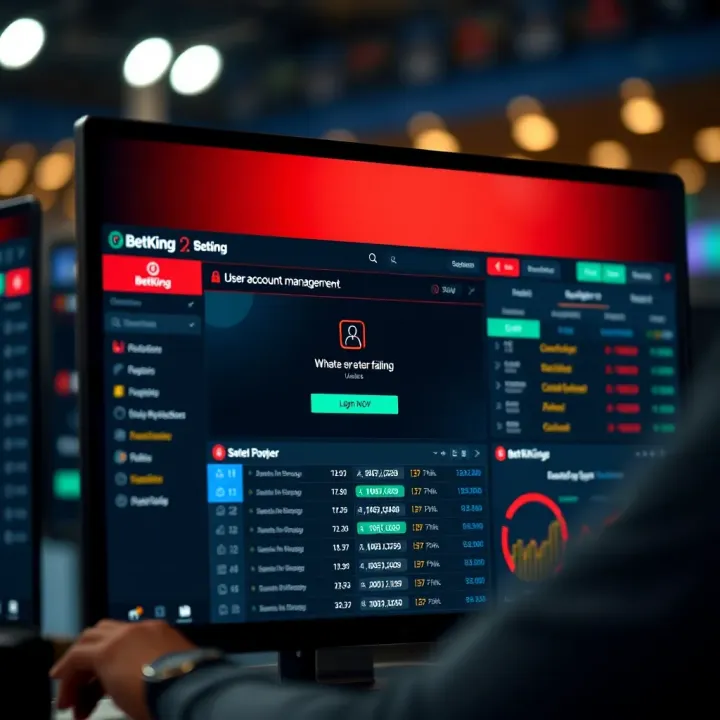
📊 Know how to check BetKing Score live in Nigeria! Use real-time results to sharpen your bets on football, basketball, and more. Stay ahead and bet smart! ⚽📱
Based on 11 reviews